Themes
- 4.0
- Rating
- 50.00M
- Installs
- Free
- Price

 Analysis by App-foxy
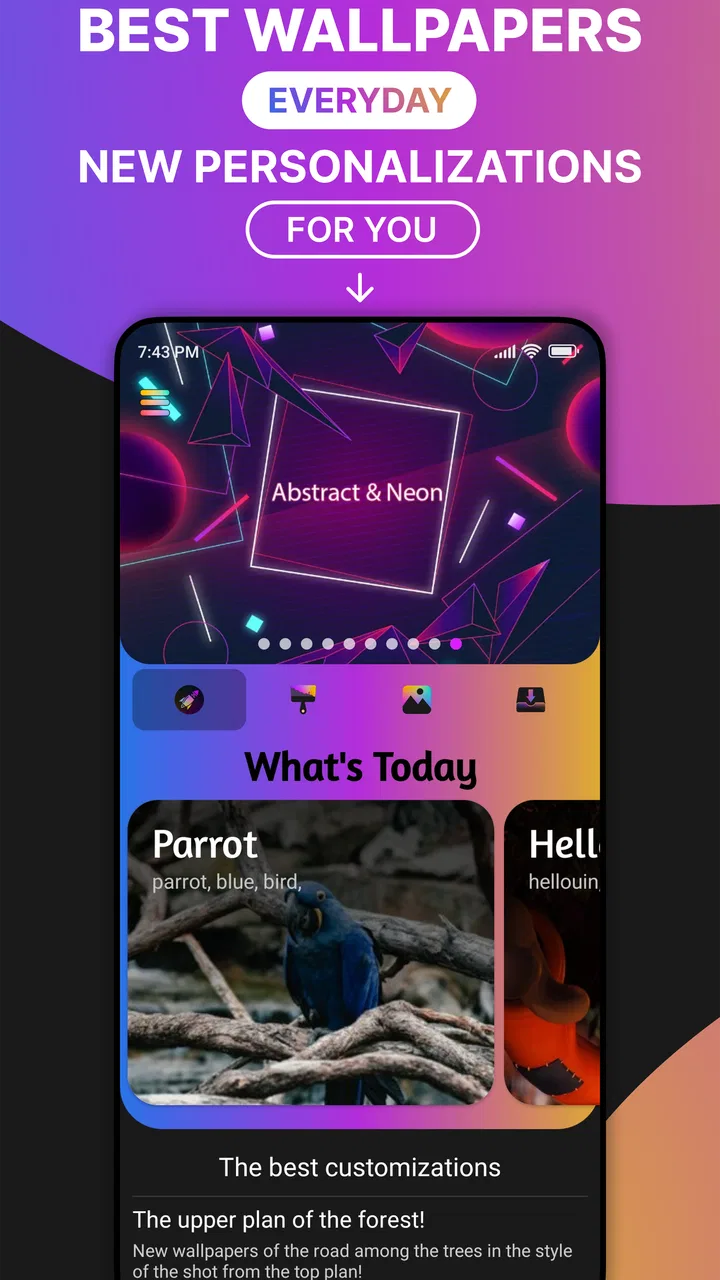
I enjoy customization apps most when they make my phone feel personal without turning the setup into a project. Themes is aimed at exactly that casual use: it is a free personalization app from The Gosa Design, built around a very large collection of visual themes and wallpapers. After spending time with it, I found the main appeal is choice. It is easy to browse when I want a quick change, but the amount of material can also make the first session feel less focused than expected.
The app is suitable for everyone, and it runs on Android devices using version 6.0 or later. That gives it a broad audience, including people with older phones who may not want a demanding customization tool. Its current version is 8.1, and the app has reached over 50 million installs with a 4.1 average from around 688 thousand ratings. Those figures suggest that this is not a niche experiment; it is a familiar option for people who want to refresh the look of their phone without paying an upfront fee.
Getting past the first setup without wasting time
My first recommendation is to decide what you actually want before browsing. Themes combines complete visual styles with individual wallpapers, so opening it with a vague goal can lead to endless scrolling. If your priority is only a new background, go straight toward wallpaper browsing. If you want the phone to look more coordinated, inspect the theme collections instead of treating every image as a separate choice.
You May Also Like

 AccuWeather: Weather Radar
AccuWeather Review: A Quick, Clear Forecast for Everyday Decisions
For everyday plans, the best forecast is the one you can understand quickly. AccuWeather makes rain timing, radar, and local conditions easy to act on, with a few trade-offs.

 Hill Climb Racing
Why Hill Climb Racing Still Turns Crashes Into One More Run
A tiny car, a bumpy hill and one more upgrade: Hill Climb Racing keeps resurfacing because its simple chaos makes every near-miss feel personal.

 AliExpress - Shopping App
AliExpress Makes Global Shopping Feel Personal, but Shoppers Bear the Risk
AliExpress turns a global marketplace into a pocket-sized discovery engine. Its reach is useful, its shopping loop compelling, and its trade-offs easy to miss.

 Lords Mobile: Kingdom Wars
Lords Mobile Is a Kingdom-Building Routine, Not a Quick Match
A case-by-case verdict on the building, battles, device demands, and social commitments that make Lords Mobile rewarding for some players and exhausting for others.

 PDF Scanner app - TapScanner
TapScanner Makes Paperwork Easier to Capture, Check, and Share
TapScanner makes scanning with a phone feel less like a rescue operation and more like a dependable step in getting work done. Its capture tools are useful, though not flawless.

 Block Blast!
 Shows How Much a Puzzle Game Can Leave Out
A quiet grid game shows why puzzle players increasingly value instant clarity, repeatable skill and low-pressure play—and where the genre still needs to catch up.
More From Our News Desk
View All News


This distinction matters because a wallpaper can improve the appearance of the home screen while leaving the rest of the interface unchanged. A theme is a broader choice, so it is worth checking how its colors, icons, and overall mood will fit your existing layout. I would not start by selecting the first attractive preview. I would first note whether I use a dark or light interface, whether my widgets have pale or colorful backgrounds, and whether I rely on readable text beneath app icons.
The catalog is large enough to encourage impulse choices: the app promotes more than 3,000 themes and over 9,000 wallpapers. I found that a short-listing habit works better than trying to remember every design I like. I save a few candidates mentally or by taking a screenshot of the preview, then compare them against my actual home screen. This avoids a common frustration where a design looks excellent in isolation but clashes with widgets or makes labels harder to read.
Another useful setup check is to make sure the phone has enough free space for normal app operation and image handling. I am not suggesting a specific storage requirement, because that depends on the device and the content being used. The practical point is simple: if the app feels slow while loading visual material, closing other heavy apps and trying again is a sensible first step before assuming the catalog itself is broken.
Because the app is free, it is easy to try without a financial commitment. However, in-app purchases range from $0.49 to $22.99 per item, so I pay attention to what I am selecting before confirming anything. I treat the free browsing experience as the test: if the available styles already fit my taste, there is little reason to rush into a purchase. Browse first, customize second, and only then decide whether an optional item is worth paying for.
What to check when a theme does not look right
One of the first things I check is whether the problem is the theme or the phone's current arrangement. A design can appear different from its preview if the device uses a particular launcher, has custom icon placement, or adds widgets that cover part of the background. Before changing several settings at once, I take a screenshot of the current home screen. That gives me a simple reference point and makes it easier to identify which change caused the unexpected result.
I also test a wallpaper on an uncluttered screen before judging it. Busy backgrounds can look attractive in a preview and become distracting when covered with app icons. The opposite can happen with minimal designs: they may seem plain at first but provide excellent contrast for labels and widgets. In my experience, the most useful wallpaper is often not the most dramatic one; it is the one that keeps the screen comfortable to read throughout the day.
If a selection does not apply immediately, I avoid repeatedly tapping the same control. I return to the previous screen, reopen the item, and try the action once more. If that fails, I close and reopen the app. This basic recovery step is more useful than changing unrelated phone settings, especially when the issue is a temporary loading interruption rather than a compatibility problem.
It is also worth remembering that Android phones do not all present customization in exactly the same way. A manufacturer interface may handle icons, home screens, and wallpapers differently from another device. Themes can still be useful as a source of visual material even when a complete application of a theme is not as seamless as the preview suggests. In that situation, I use the wallpaper separately and keep my normal launcher arrangement.
A practical workflow for recovering from a failed change
When a customization attempt goes wrong, I use a staged workflow rather than resetting everything. First, I return to the previous wallpaper or theme if the app makes that option available. Next, I check whether the home screen is simply displaying an old preview or whether the actual appearance changed. Finally, I restart the app and test one item at a time.
This approach is especially helpful when trying several designs in quick succession. Applying multiple visual changes makes it difficult to know whether a problem comes from the chosen item, the launcher, or a temporary refresh delay. A one-change-at-a-time method takes slightly longer, but it gives me a clear answer and preserves a stable fallback.
I recommend keeping one simple wallpaper available as a reset point. It does not need to be a favorite; it only needs to be readable and visually neutral. If a colorful theme makes labels difficult to see, switching to that plain option lets me continue using the phone while I decide what to try next. This is a small habit, but it prevents customization from becoming an annoyance during a busy day.
Users who change their phone appearance frequently should also be selective about how much they alter at once. I prefer changing the background first, living with it for a little while, and then deciding whether a fuller theme is necessary. That workflow reveals whether I wanted a complete redesign or merely a seasonal refresh. It also makes it easier to return to a familiar setup when the novelty wears off.
For someone setting up a phone for another person, I would take a similar approach. I would choose a high-contrast wallpaper, leave the home screen organized, and avoid a design that hides important visual cues. The large catalog is helpful here because it provides many moods and styles, but the best choice depends on the person's comfort rather than on how impressive the preview looks.
When the app is not the real cause of the problem
Not every failed visual change originates in Themes. If a wallpaper looks cropped, the phone's display shape or the way it positions images may be responsible. If icons remain unchanged, the launcher may not support the same kind of theme application expected by the preview. If the screen looks cluttered, the issue may be the number and placement of widgets rather than the selected design.
This is where I think expectations matter. Themes is a personalization tool, not a replacement for every part of the phone interface. People who want deep launcher control, extensive icon-pack management, or a highly engineered home-screen system may prefer a dedicated launcher or a more specialized customization solution. Those alternatives can provide finer control, but they may also require more setup and may feel excessive if the goal is simply a new visual mood.
On the other hand, someone who only wants occasional wallpapers may find a full customization suite unnecessary. The app's strength is its breadth: I can use it as a quick source of backgrounds or explore coordinated designs when I feel like changing more. Its weakness is that this breadth can make the experience feel less direct than a small wallpaper-only tool.
The app is also not the best fit for users who dislike browsing large catalogs. I enjoy comparing styles, but I can see the process becoming tiring for someone who wants one carefully curated recommendation. In that case, the usual phone wallpaper picker or a smaller collection may be more comfortable. Themes is better for people who appreciate having many options and do not mind spending time filtering them with their own judgment.
Everyday use: a small change that makes the phone feel new
A realistic use case for me is refreshing the phone at the start of a new season or after becoming bored with a familiar home screen. I might choose a calmer wallpaper for workdays, then switch to something more colorful when I want the phone to feel less formal. The process takes only a few minutes if I already know whether I want a background or a broader theme.
Another good use is preparing a spare phone for a family member. Rather than leaving the device with a generic appearance, I can choose a clear, friendly background and make the screen feel intentional. The Everyone age rating also makes the app approachable for a broad audience, although I would still help less experienced users with the selection and application steps.
I find the app most rewarding when I treat customization as functional design rather than decoration. A dark image may be attractive, but if it makes labels disappear, it is not a successful choice for my daily use. A bright image may look cheerful, but if it competes with a calendar widget, it creates visual noise. The best result is the balance between personality and usability.
That balance is also why I do not recommend changing everything whenever a new design catches my eye. A stable home screen helps me find apps quickly. I would rather make one thoughtful change than repeatedly rearrange the phone. Themes gives me enough material to experiment, but it does not decide which choice will remain comfortable after the first impression.
How it compares with simpler alternatives
The standard phone wallpaper picker is usually faster for applying an image already stored on the device. If I already have a favorite photograph or a downloaded background, I do not need a large catalog to complete that task. The built-in option is also the less complicated route for someone who wants no additional browsing.
The advantage here is discovery. Themes gives me a dedicated place to explore visual directions instead of searching through random images or manually assembling a look. The combination of themes and wallpapers makes it more flexible than a basic picker, especially when I want inspiration rather than a specific picture.
Dedicated launcher tools are different again. They can be better for users who want detailed control over grids, gestures, icon arrangements, and home-screen behavior. I would choose one of those when the structure of the interface matters as much as its artwork. I would choose Themes when the main goal is visual refresh without committing to a larger launcher project.
There is a trade-off between breadth and precision. A huge collection increases the chance that I will find a style I like, but it also means I have to do more of the curating myself. A smaller alternative may feel more polished or quicker, while Themes is more useful when I want variety and the freedom to change direction.
Who should use it and who should skip it
I would recommend Themes to anyone who likes changing the appearance of a phone, wants access to both coordinated themes and standalone wallpapers, and prefers testing ideas before paying for optional content. It is particularly suitable for casual personalization, seasonal refreshes, setting up a spare device, or finding a visual style that matches a new case or lock-screen mood.
I would be more cautious about recommending it to someone who wants a perfectly uniform interface across every device. Differences between Android launchers and manufacturer interfaces can affect how a theme appears. I would also point wallpaper purists toward a simpler alternative if they do not want to browse theme collections or interact with optional purchases.
The free starting point is a real advantage, but I still approach the in-app purchase range carefully. I would not assume that paying is necessary for a good experience, and I would check the purchase screen before confirming any item. That habit keeps the app aligned with its best use: exploring and improving the phone's appearance at my own pace.
After using it, my view is favorable but practical. Themes is not a magic fix for launcher behavior, display cropping, or a cluttered home screen. It is a broad personalization library that works best when I make deliberate choices, test one change at a time, and judge designs on everyday readability rather than preview appeal. The Gosa Design has made an accessible option for users who want variety without an upfront price, and the app's 4.1 average reflects a generally positive reception from a large audience.
My final recommendation is to install it if you want visual inspiration and are comfortable doing a little filtering. Start with a wallpaper, compare it with your icons and widgets, and only move toward a complete theme if the first change feels useful. If you want advanced launcher engineering or a tightly curated collection, another tool may suit you better. For ordinary Android personalization, though, Themes is a practical way to make a familiar phone feel noticeably more like yours.
FAQs for Themes
01What are the key features of the Themes app?
The Themes app offers a wide range of customizable options to personalize your device. Users can choose from a variety of wallpapers, icon packs, and widgets. It also includes live wallpapers and theme presets that can be easily applied. The app supports both Android and iOS, ensuring a seamless experience across platforms.
02Is the Themes app free to use?
The Themes app is available as a free download with basic features accessible to all users. However, it also offers in-app purchases for premium themes and exclusive content. Subscribing to the premium version provides an ad-free experience and access to a wider selection of customization options.
03How user-friendly is the Themes app interface?
The Themes app is designed with a user-friendly interface, making it easy for both beginners and experienced users to navigate. The app features intuitive menus and a simple layout, allowing users to quickly find and apply their desired themes. Tutorials and guides are also available to assist new users.
04Can I create and upload my own themes in the app?
Yes, the Themes app allows users to create and upload their own themes. The app provides tools for designing custom wallpapers, icon packs, and widgets. Users can share their creations with the community and download themes made by others, fostering a creative and collaborative environment.
05Is the Themes app compatible with all devices?
The Themes app is compatible with most Android and iOS devices. However, some features may vary depending on the device model and operating system version. It is recommended to check the app's compatibility with your specific device in the app store before downloading to ensure optimal performance.
Pros
- Intuitive user interface.
- Extensive theme customization options.
- Regular updates with new themes.
- Lightweight and fast performance.
- Compatible with most devices.
Cons
- Some themes require in-app purchases.
- Limited free theme options.
- Occasional minor bugs.
- Ads can be intrusive.
- No offline functionality.

Themes
Gallery